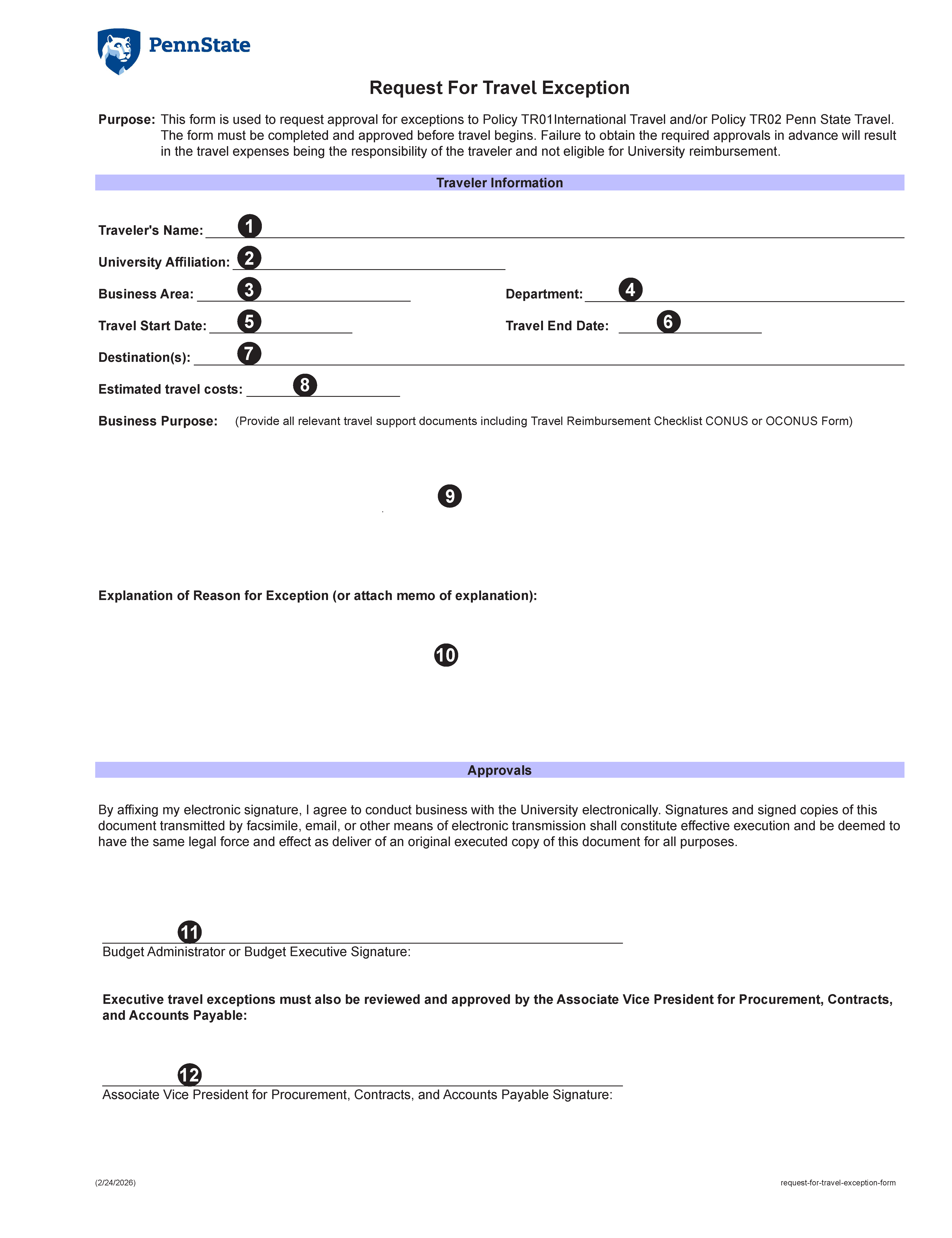
Traveler's Name - Enter the name of the traveler requesting a travel exception
University Affiliation - Select the appropriate University Affiliation for the traveler from the drop-down list. Options include Executive, Administration, Faculty, Staff/Tech Service, Non-Employee (Guest), Postdoctoral Scholar/Fellow, Graduate Assistant/Fellow/Trainee, or Student
Business Area - Enter the travelers' four (4) digit Business Area number
Department - Enter the travelers' department name
Travel Start Date - Select the travel start date from the drop-down calendar
Travel End Date - Select the travel end date from the drop-down calendar
Destination - Enter the trip destination(s)
Estimated travel costs - Enter the estimated travel costs
Business Purpose - Enter the business purpose of the trip and attach all relevant Travel Support Documents including the appropriate Travel Reimbursement Checklist (CONUS or OCONUS) form
Explanation - Provide an explanation or reason for exception or attach memo of explanation
The Budget Administrator or Budget Executive must sign the form
If the exception is for an Executive, this form must also be signed by the Associate Vice President for Procurement, Contracts, and Accounts Payable/Chief Procurement Officer